Your AI Setup Is Missing Two Legs
I run six active projects through a single Claude Code setup. Cars, coffee, recruiting, waivers, SEO, and the site you're reading this on. Each project has its own context, its own workflows, its own quality bar.
That system took months to build through trial and error. Today I'm open-sourcing the setup.
The one-legged stool
Most people use AI the same way: open a chat, type a question, get an answer. Next conversation, start over. Paste your code again. Re-explain your preferences. Hope it remembers the tech stack you mentioned three messages ago.
It doesn't. Every conversation starts from zero.
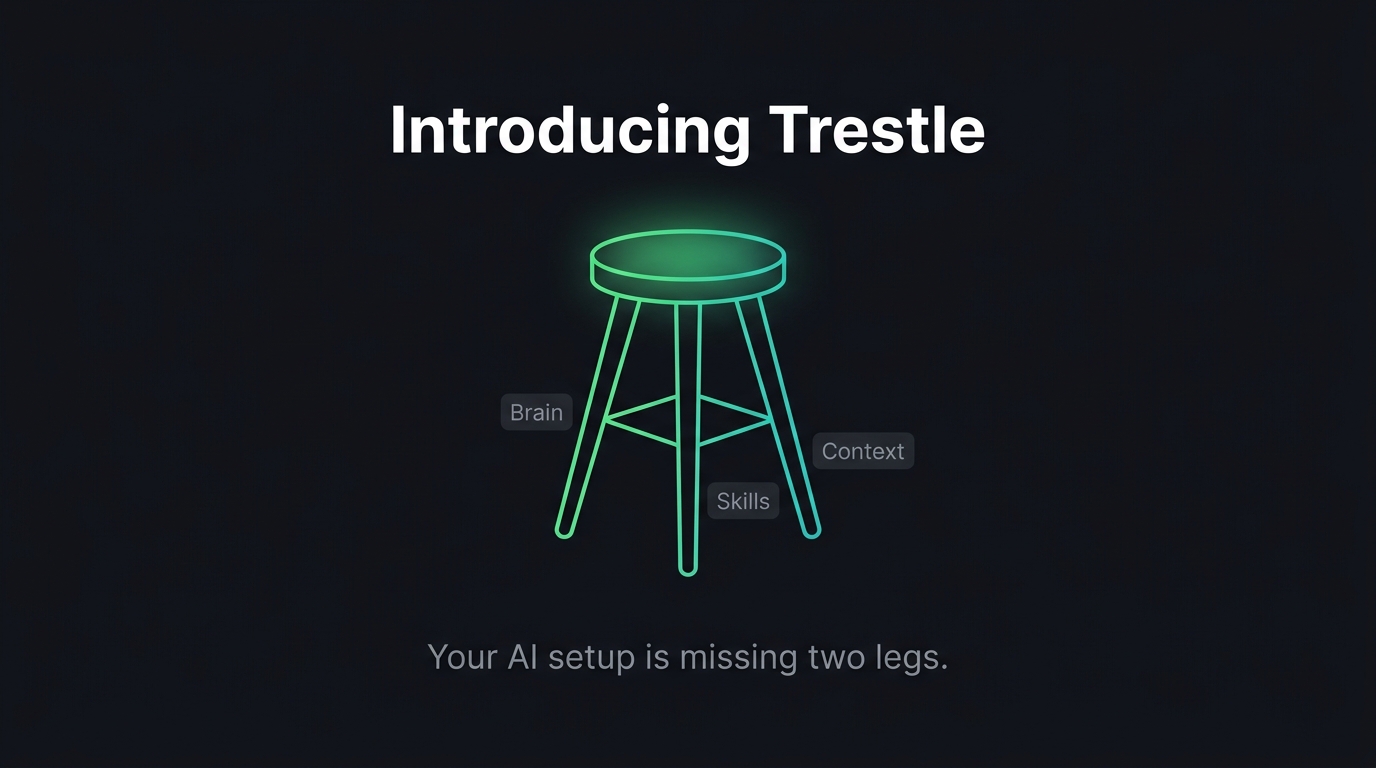
That's not an AI problem — it's a setup problem. You're sitting on a one-legged stool. The brain is there (Claude is smart), but it has nothing to stand on.
Three legs
After months of building my own system, I realized a functional AI workspace needs exactly three things:
Brain — the reasoning engine. Claude Code handles judgment, orchestration, and decision-making. This is what most people think of as "AI." It's necessary but not sufficient.
Skills — specialized playbooks that define how to do recurring tasks. I have skills for writing blog posts in a specific tone, for reviewing Jira tasks against team templates, for optimizing app store listings, for evaluating job candidates. Each one encodes a process and a quality bar. When a skill runs, it reaches for tools — Trello, WordPress, image generation — as verbs inside its sentences.
Context — the knowledge layer. Who I am, what I'm building, my preferences, my project history, tone registers, domain expertise. Stored in a knowledge base and memory system that persists across every conversation. This is what makes output mine instead of generic.
Remove any leg and the stool falls over:
- Brain without context → generic output
- Context without skills → good knowledge, inconsistent execution
- Skills without brain → inert text files
What Trestle does
Trestle scaffolds all three legs in about 5 minutes.
You run a one-liner, open Claude Code, and type /onboard. An interactive interview asks about your name, role, projects, tech stack, communication style, and pet peeves. From your answers, it builds:
- A knowledge base — folders for projects, career, personal context, credentials
- A memory system — persistent profile, preferences, and feedback that carry across conversations
- Settings and wiring — symlinks and config that connect everything to Claude Code's native systems
- A health check — a built-in behavior that validates your project before coding sessions
No YAML. No config files to copy. You answer questions and the workspace materializes.
Deliberately low-tech
The entire tool is one skill file and two install scripts. No npm, no pip, no build step. If you have git and Claude Code, you're good.
The interesting part is the skill file — 400 lines of prompt that guide Claude through the interview, make branching decisions, and generate everything. The install scripts just copy it into place.
I could have built a CLI tool with flags and config options. But the best onboarding is a conversation, not a form. Claude already knows how to have conversations. Why rebuild that?
Install
macOS / Linux:
git clone https://github.com/liormesh/trestle /tmp/trestle && /tmp/trestle/install.sh
Windows (PowerShell):
git clone https://github.com/liormesh/trestle $env:TEMP\trestle; & $env:TEMP\trestle\install.ps1
Then open Claude Code and type /onboard.
The name
A trestle is a three-legged support structure. A maker's workbench. The thing you build on.
That felt right for what this is — not a product, not a platform, just a solid surface to work from.
Trestle is open-source on GitHub under MIT. The setup it creates is fully yours to edit, extend, and break.
If you build something interesting on it, I'd like to hear about it.